AI Image Enhance

AI image upscaler. Sharper at 4×.

An AI image upscaler that recovers detail in low-resolution product shots, fixes soft edges and polishes phone-camera images for hero placements and zoom views.

An image upscaler is a restoration tool that raises resolution and recovers detail in photos that are already too soft to use, so sellers can salvage old catalog shots. Use it when the only file you have is small or compressed. Each run costs 10 credits, returns 4× the pixel count at about 4 megapixels, and leaves framing and content unchanged.

OriginalUpscaled

Sample result — drag the divider anytime to take over

OutputContent unchanged

Same pixel, not a bigger crop

Every pair below is one photo: the original file on the left of the handle, the 4-megapixel version on the right. The divider sweeps on its own — grab it whenever you want to stop on a detail. Both halves are displayed at the same size, so what moves underneath is detail, not scale.

OriginalUpscaled

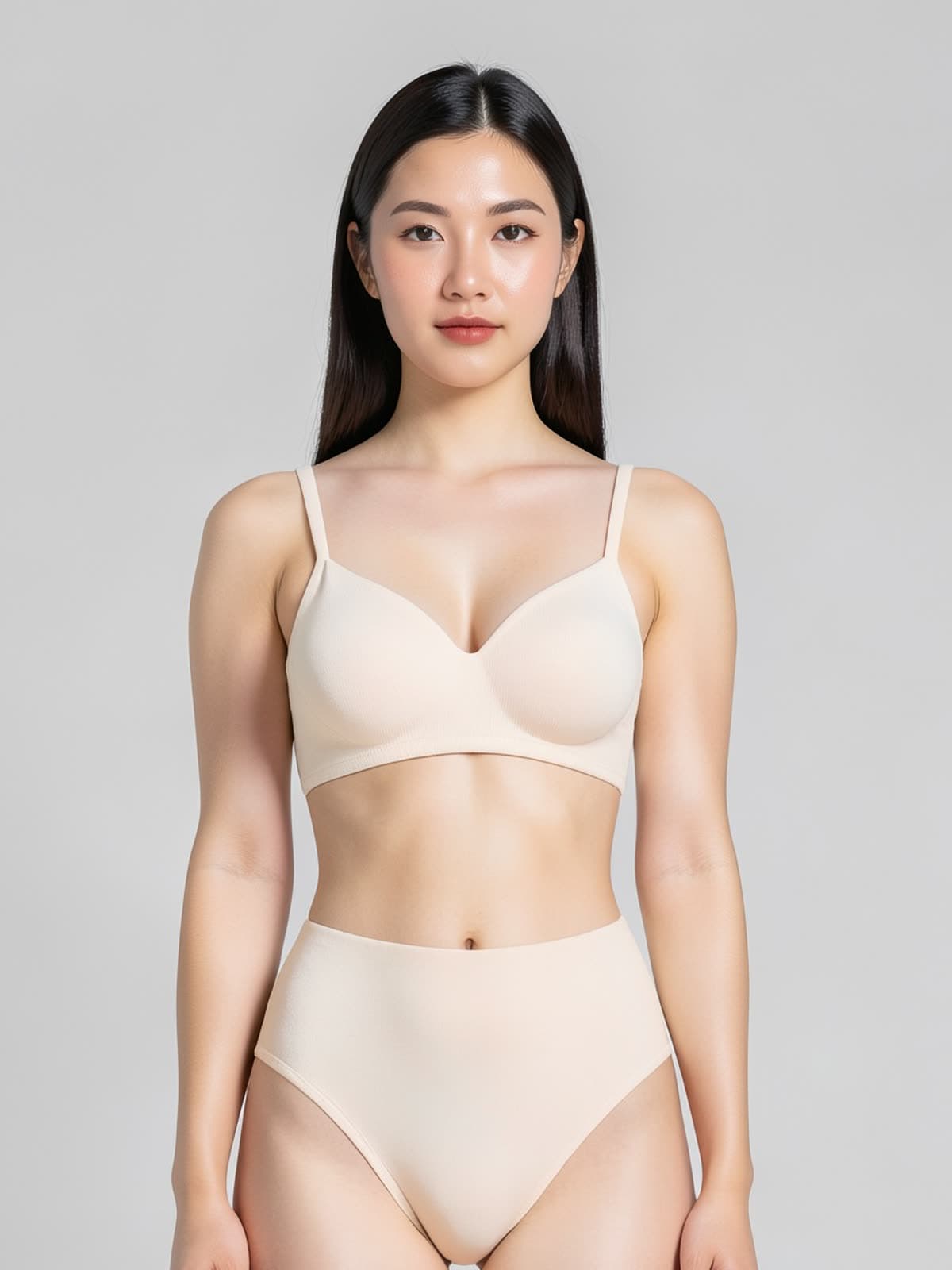
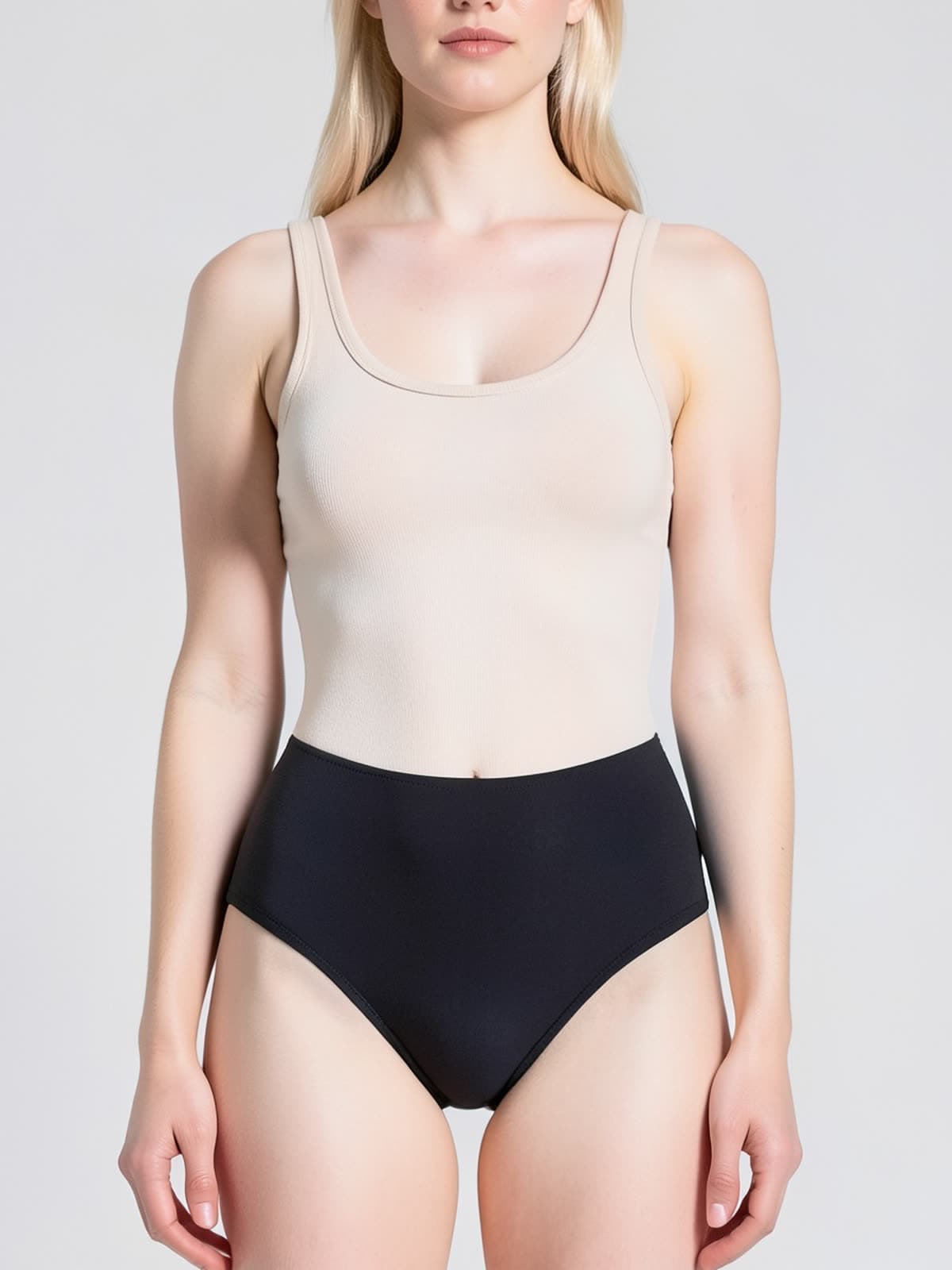
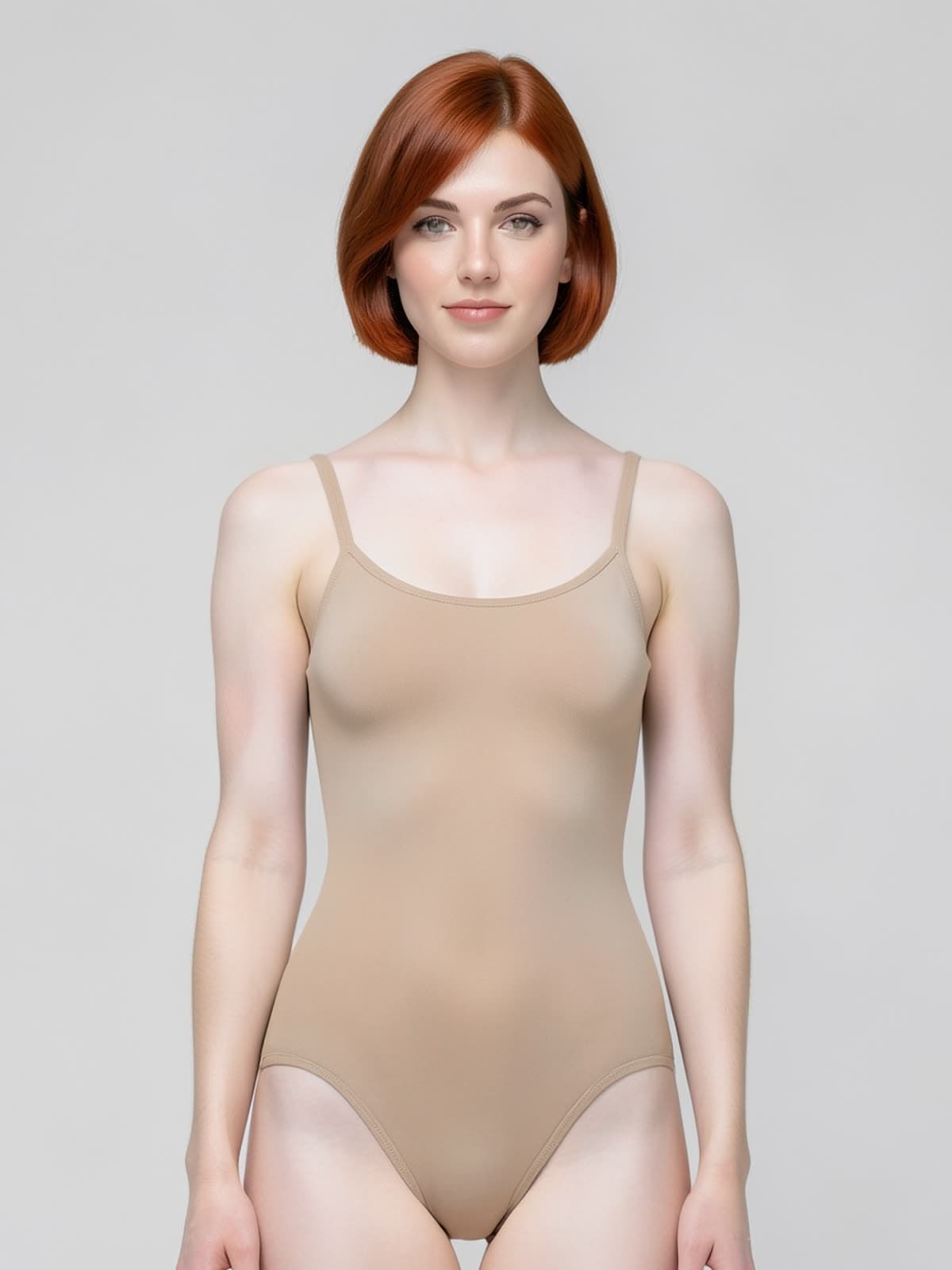
900 px source · bra and brief set

Hitting the marketplace minimum without a reshoot

Amazon only turns on image zoom once the longest side reaches 1600 px, and a listing without zoom converts worse. This file arrived at 900 px — the size a supplier sends when the original shoot is long gone. Upscaling brought back the strap edges, the seam lines and the face without altering the garment's cut or colour, which is the difference between a usable listing image and a bigger blur.

OriginalUpscaled

Waistband edge · fabric texture

Compression knit that still reads as knit

Shapewear sells on fabric, and fabric is the first thing a low-resolution file throws away. Enlarge it in a normal image editor and you get a larger soft patch where the knit used to be. Drag the handle across the waistband here: the stitch direction and the compression ribbing come back as texture a buyer can actually inspect at full zoom.

OriginalUpscaled

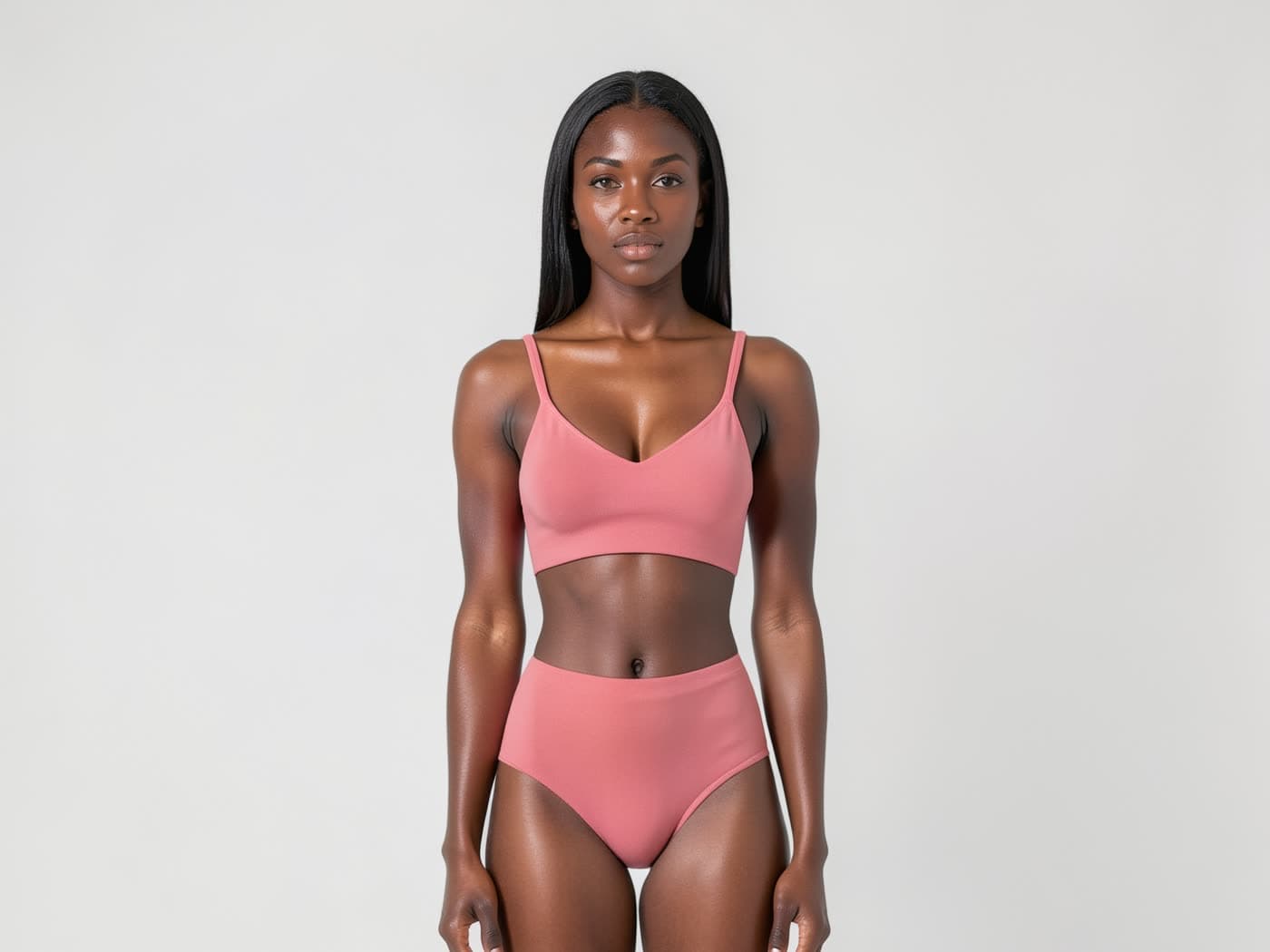
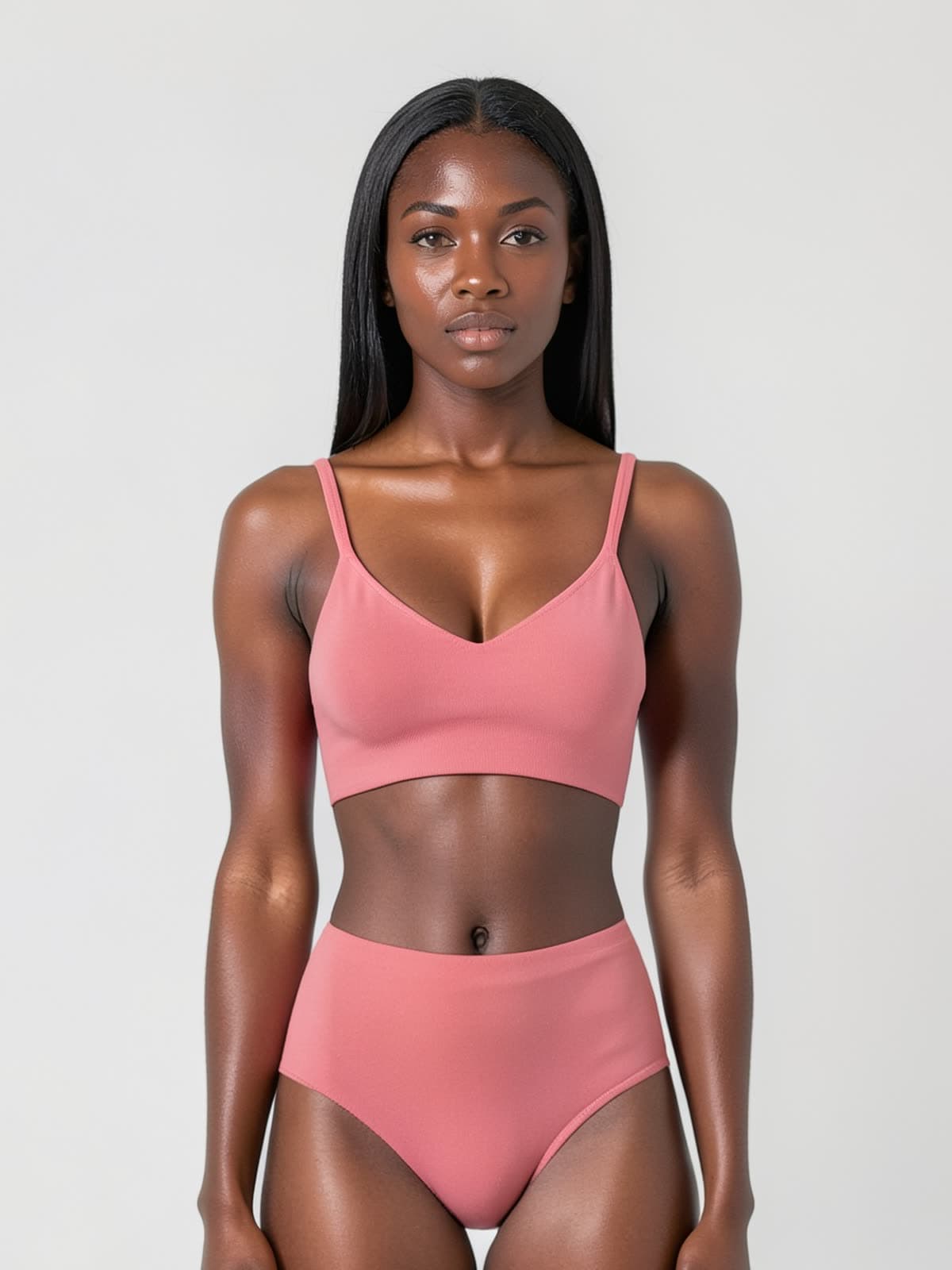
Archive image · ribbing restored

Old catalogue files, relisted instead of reshot

Most sellers have a folder of small images from a shoot nobody can repeat — the sample is gone, the model is booked, the photographer moved on. Those files are usually 600–1000 px because that was all the old site template needed. Running them through an AI image upscaler is the cheapest way to make a past season listable again, at 10 credits and about ten seconds per file.

OriginalUpscaled

Hairline · skin grain

Hair and skin, where upscalers usually fail

Hair is the honest test of an upscaler: most of them turn strands into plastic ribbons or invent texture that was never in the frame. This pass keeps the hairline, the flyaways and the grain of the skin, because the prompt is fixed server-side to add detail without redrawing content. If the model's face shifted, the photo would stop being the person you actually shot — and no downstream edit fixes that.

From soft to sharp

Three steps. Hero-ready output.

01

Upload

Any product, model or scene image. JPG / PNG / WebP. Even 800 px source images work — that's the point.

02

Pick scale

2× or 4×. Auto detail-recovery for fabric, hair, skin and metal.

03

Download

Hero-ready PNG, sharp at 100% zoom. Drop into product detail pages and Amazon zoom views.

Built for fashion zoom views

Detail-aware, not just bigger

Real edge sharpening and texture recovery — not naive bilinear upscale. Lace, weave and seams hold up at 4×.

Skin and hair stay natural

Faces aren't over-sharpened or smoothed into uncanny territory. Skin texture and individual hair strands are preserved.

Phone shots become hero-ready

Yesterday's phone shot becomes today's product detail hero. Stop reshooting just for resolution.

What an AI image upscaler actually does

An AI image upscaler is a restoration tool: it raises resolution and resolves detail that is present in the file but smeared by blur, noise or compression. It is not a generator and it does not invent detail that was never captured — an 800 px product shot upscales well, a 200 px thumbnail does not, because there is nothing left to resolve. Composition, framing, pose and colour are untouched. The result should read as the same photograph shot on a better camera.

What you can do with it

Recover detail the file still holds

Fabric weave, stitching, lace, print edges and hair strands come back when they were captured but softened.

Clear what is costing clarity

Motion blur, camera shake, low-light smear, sensor noise and JPEG or WebP compression artifacts are removed.

Reach marketplace zoom requirements

Output is 4× the pixel count, which takes most phone-camera sources past the 1600 px longest-edge threshold for Amazon zoom.

What it saves

No re-shoot for a soft file

Booking a re-shoot for one blurry image costs more than the whole product. This is 10 credits — about $0.20.

Supplier photos become usable

Dropshippers rarely get high-resolution files. A 900 px supplier image can reach listing standard without asking for a new one.

Archive shots come back into rotation

Photos taken years ago on older phones can be brought up to current requirements instead of being retired.

When sellers reach for it

The only file you have is small

The product sold out, the shoot is over, or the supplier sent a thumbnail. Upscale is the only remaining option.

The listing needs a zoom image

Marketplaces gate the zoom feature on pixel dimensions. A 4× pass crosses that line without a new shoot.

Phone photos for a hero placement

A shot that looks fine at thumbnail size falls apart at hero size. Enhance recovers the edge detail that scale exposes.

Who this is for

Dropshippers and resellers

You do not control the source file and cannot request a better one.

Sellers with an image archive

Years of catalogue shots taken to older standards, still commercially useful if they can meet current pixel requirements.

Anyone shooting on a phone

Phone sensors do well in good light and poorly in the rest. Enhance closes part of that gap.

When not to use it

  • · The detail was never captured. An extremely small or heavily degraded source has nothing to recover, and no upscaler can fix that honestly.
  • · You want the face changed or improved. On faces and skin this tool only removes blur and noise — it does not smooth features or erase moles and fine lines, by design.
  • · You want the background blur removed. Lens depth of field is preserved; softness that came from focusing on the subject stays.
  • · The shot is badly composed. Framing and pose are never altered — this fixes clarity, not photography.

Frequently asked

How much can an AI image upscaler actually recover?

It recovers detail that is present but smeared — fabric weave, stitching, print edges, hair strands — and it will not invent detail that was never captured. An 800 px product shot upscales well; a 200 px thumbnail does not, because there is nothing left to resolve. Output is 4× the pixel count, and the source keeps its exact framing.

Will the AI image upscaler change the model's face?

No, and that is a deliberate constraint. On faces and skin the tool only removes blur and noise — it does not smooth features, erase moles or fine lines, or strengthen anything that is faint in the original. Anything else would hand you a different person wearing your product.

Does upscaling ruin the background blur in my photos?

No. Lens depth of field is preserved. Background that is soft because the camera was focused on the subject stays soft; only unintended softness — motion blur, camera shake, low-light smear, compression artifacts — is cleared.

Can I use the upscaled result as an Amazon zoom image?

Yes. Amazon recommends at least 1600 px on the longest side for zoom, which a 4× upscale reaches from most phone-camera sources. Composition and framing are untouched, so an image that already passed listing review still passes.

When should I not use an AI image upscaler?

Skip it when the detail was never captured: an extremely small or heavily degraded source has nothing to recover, and no upscaler can fix that honestly. Skip it when you need the garment reproduced with legal exactness, such as certification labels. And do not use it to rescue a badly composed shot — upscaling changes nothing about framing or pose.

Where does upscaling belong in the image workflow?

Last. Every other step — cutting the product out, replacing the background, rendering it on a model — is cheaper and more accurate on a small file, and each one re-renders pixels anyway. Upscale once at the end, on the file you have decided to list. Running the AI image upscaler first and then editing means you pay for resolution you are about to throw away.

How is this different from resizing in Photoshop?

Resizing interpolates: it spreads the pixels you already have over a larger area, so a soft photo becomes a larger soft photo. An AI image upscaler reconstructs — it infers what the weave, the stitch line or the strap edge most likely looked like and draws that at the new resolution. The honest limit is the same in both cases: neither can recover detail the camera never recorded.

Upload the file you thought was unusable.

10 credits, about ten seconds, and the content stays exactly as you shot it.