
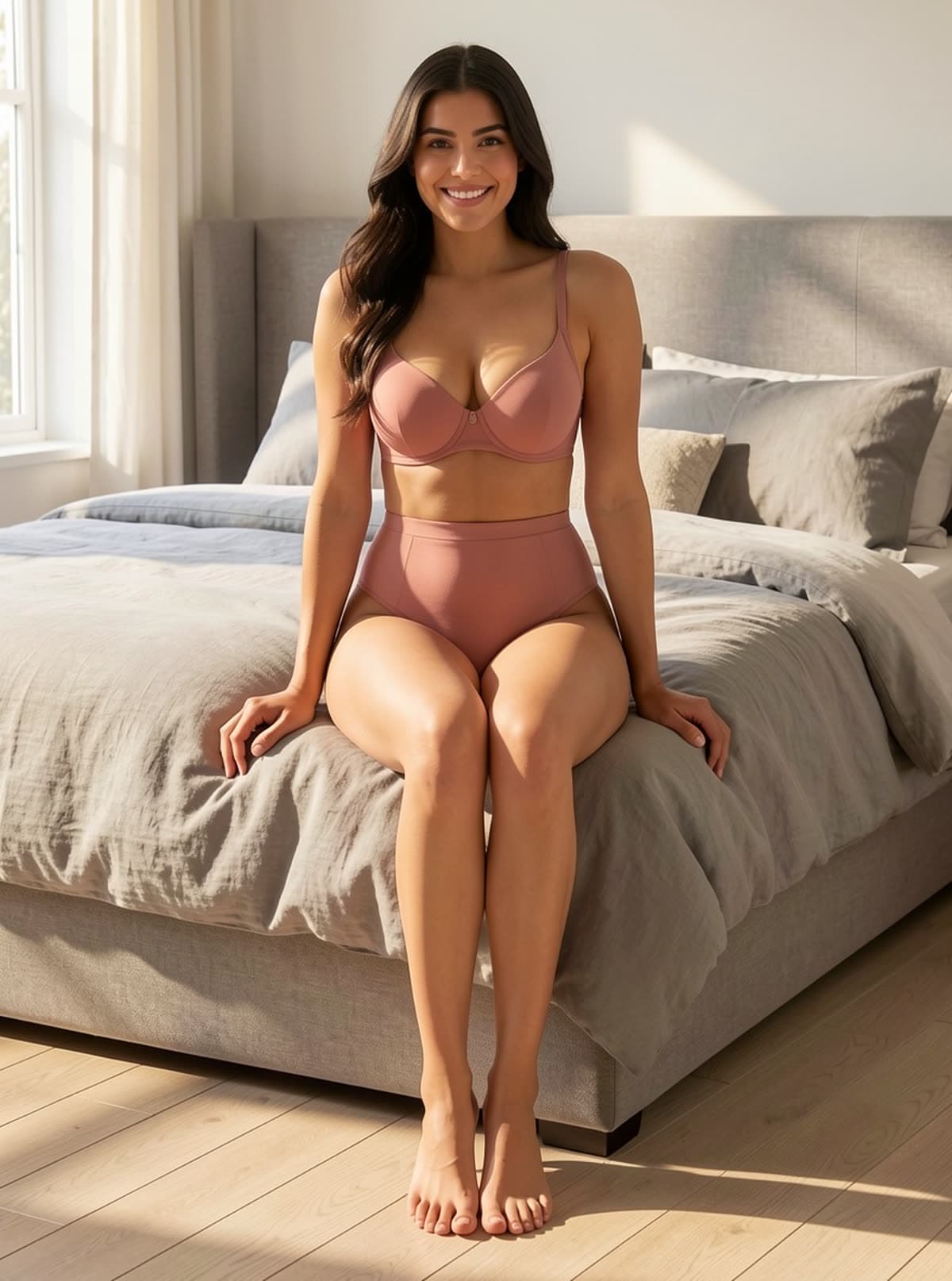
Sitting on the bed
Mattress edge dents under her weight
AI Background Replace
AI background replacement ends the seasonal re-shoot. Drop a product in, type a scene, and get realistic lifestyle shots with proper lighting, reflection and shadow — in seconds.
A background replacer is an editing tool that keeps your product exactly as shot and swaps only the scene behind it, so sellers can produce lifestyle imagery without re-shooting. Use it when the product is right but the setting is wrong. Each scene costs 10 credits, and the pose in your source photo is preserved exactly.
Background description
Scene presets
Solid backdrops
Aspect ratio
Resolution
Cost: 10 credits
Your result will appear here.
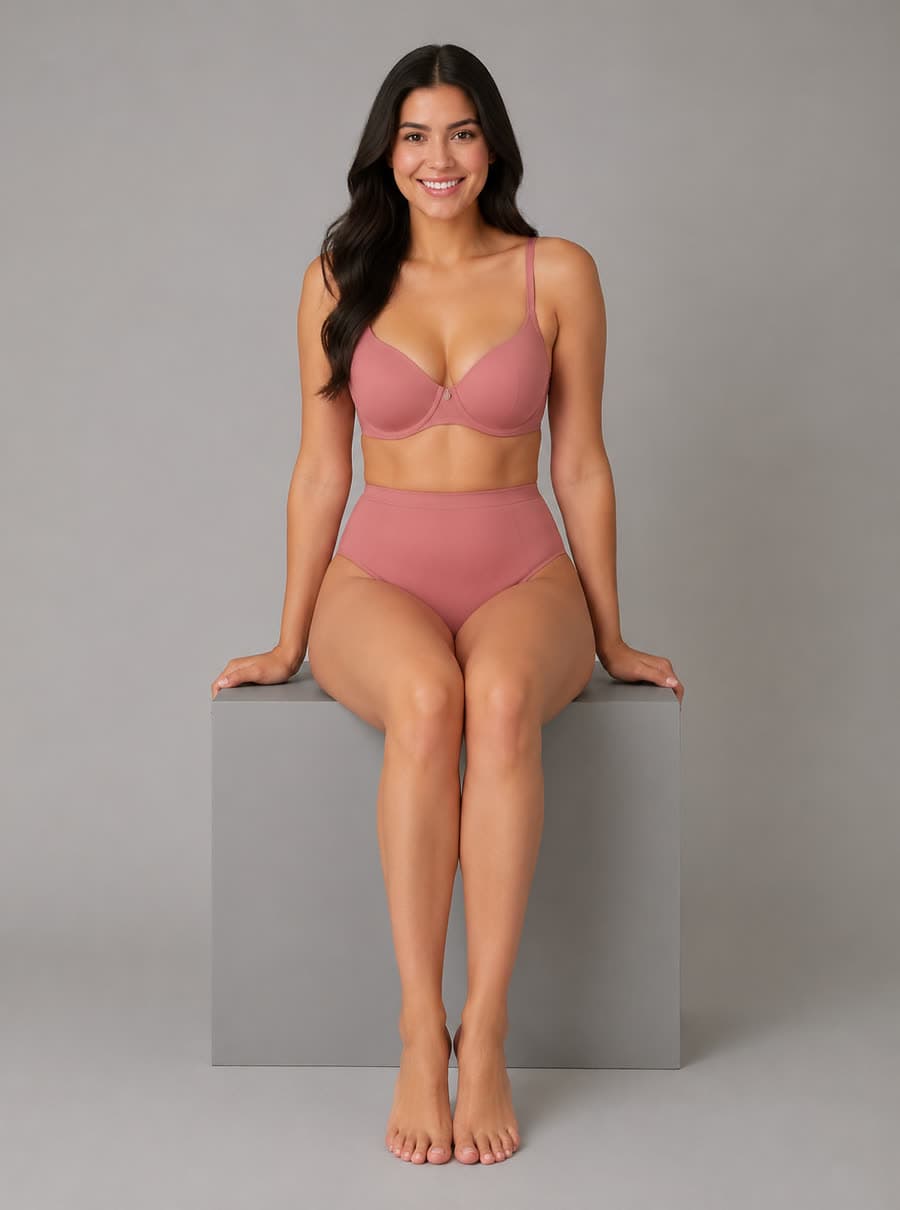
Each result is the studio frame beside it with the backdrop and the grey prop replaced. Her pose never changes — what changes is the thing carrying her weight: the block she sat on becomes a bed edge, a sun lounger, a sofa, a vanity.
Mattress edge dents under her weight

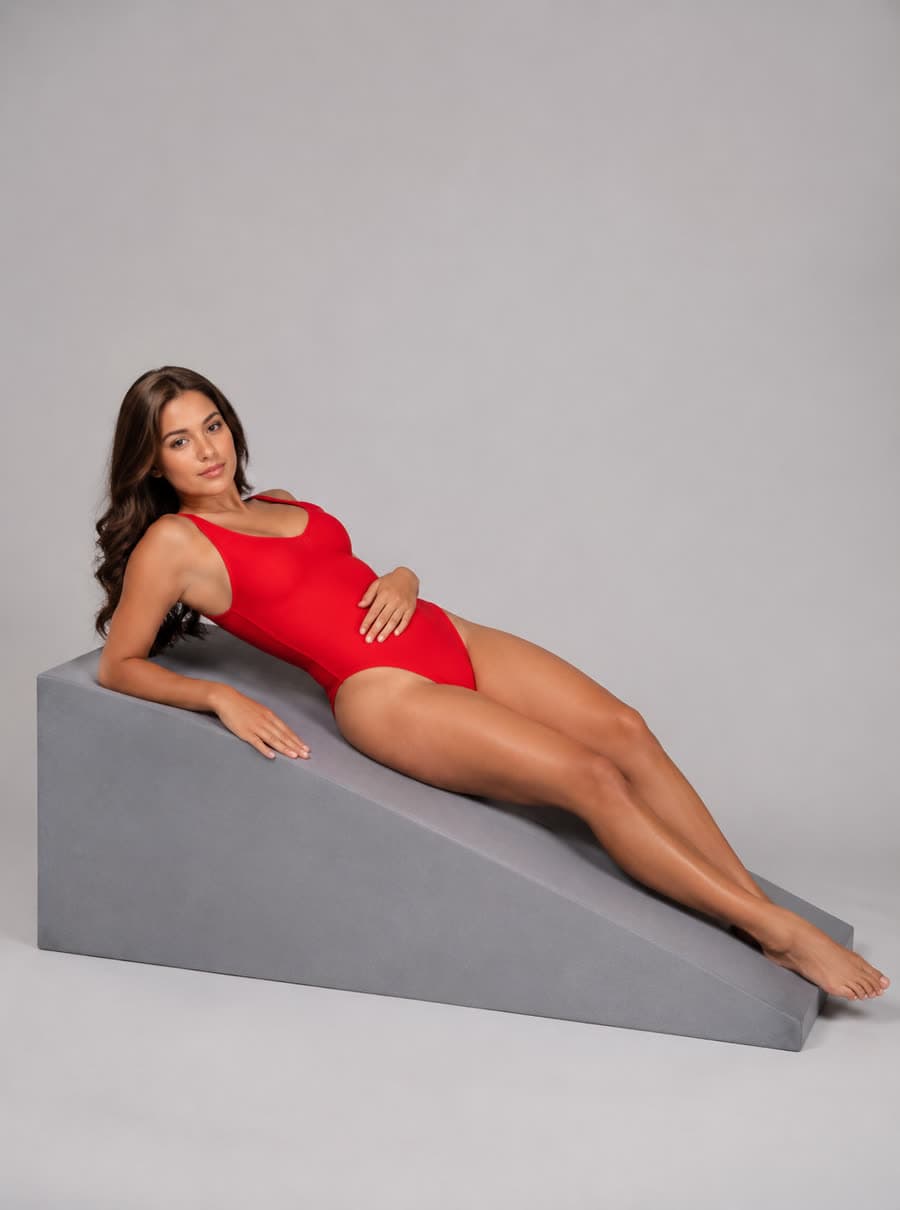
Teak frame follows the studio wedge's angle
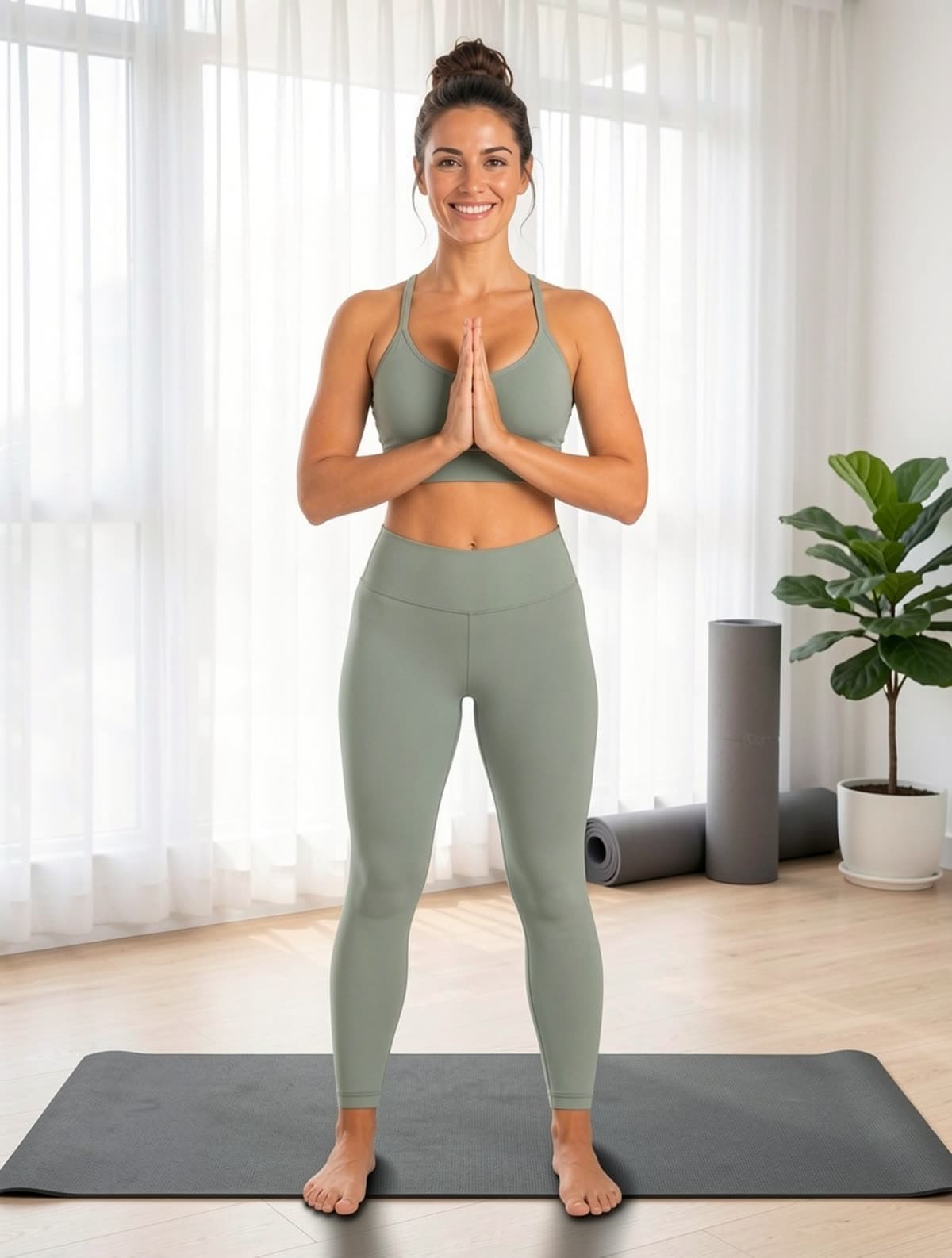
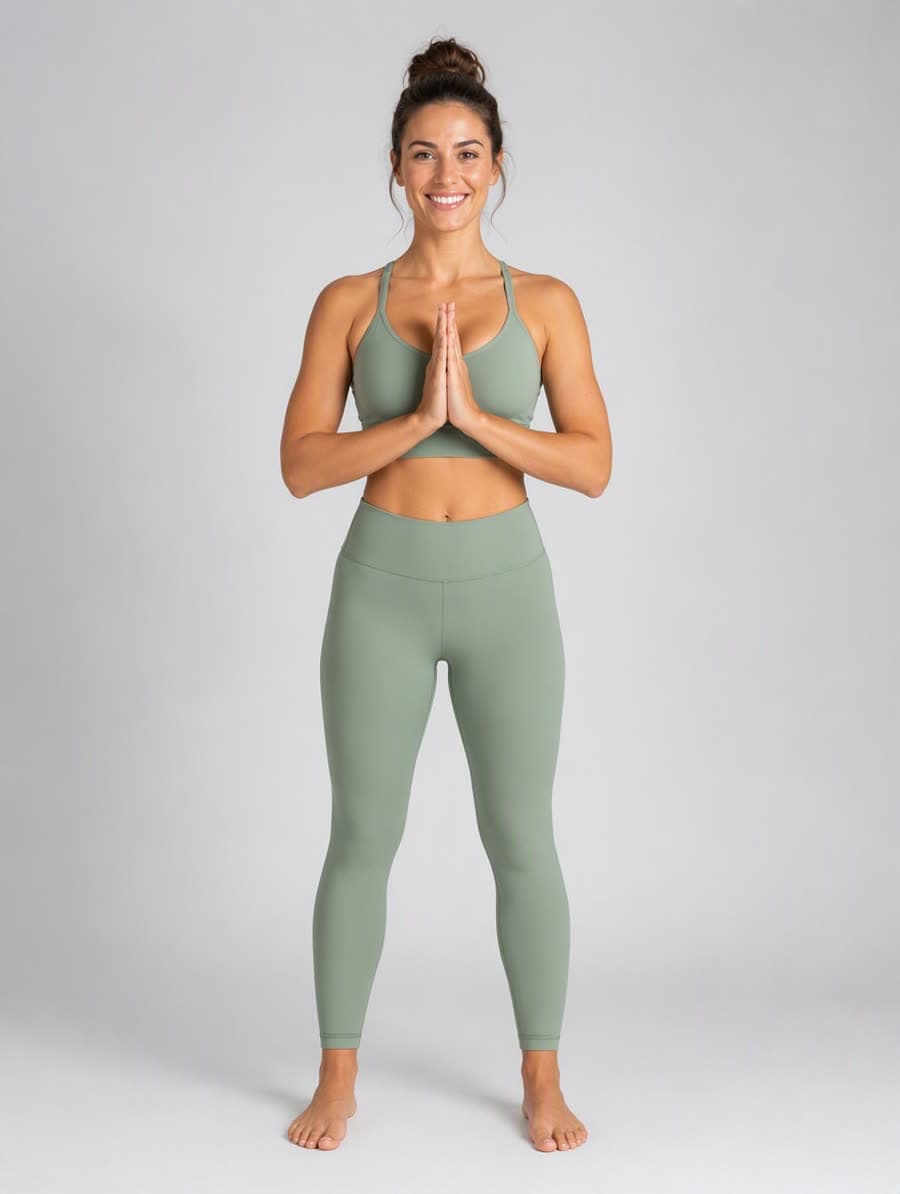
Yoga studio, barefoot on pale wood
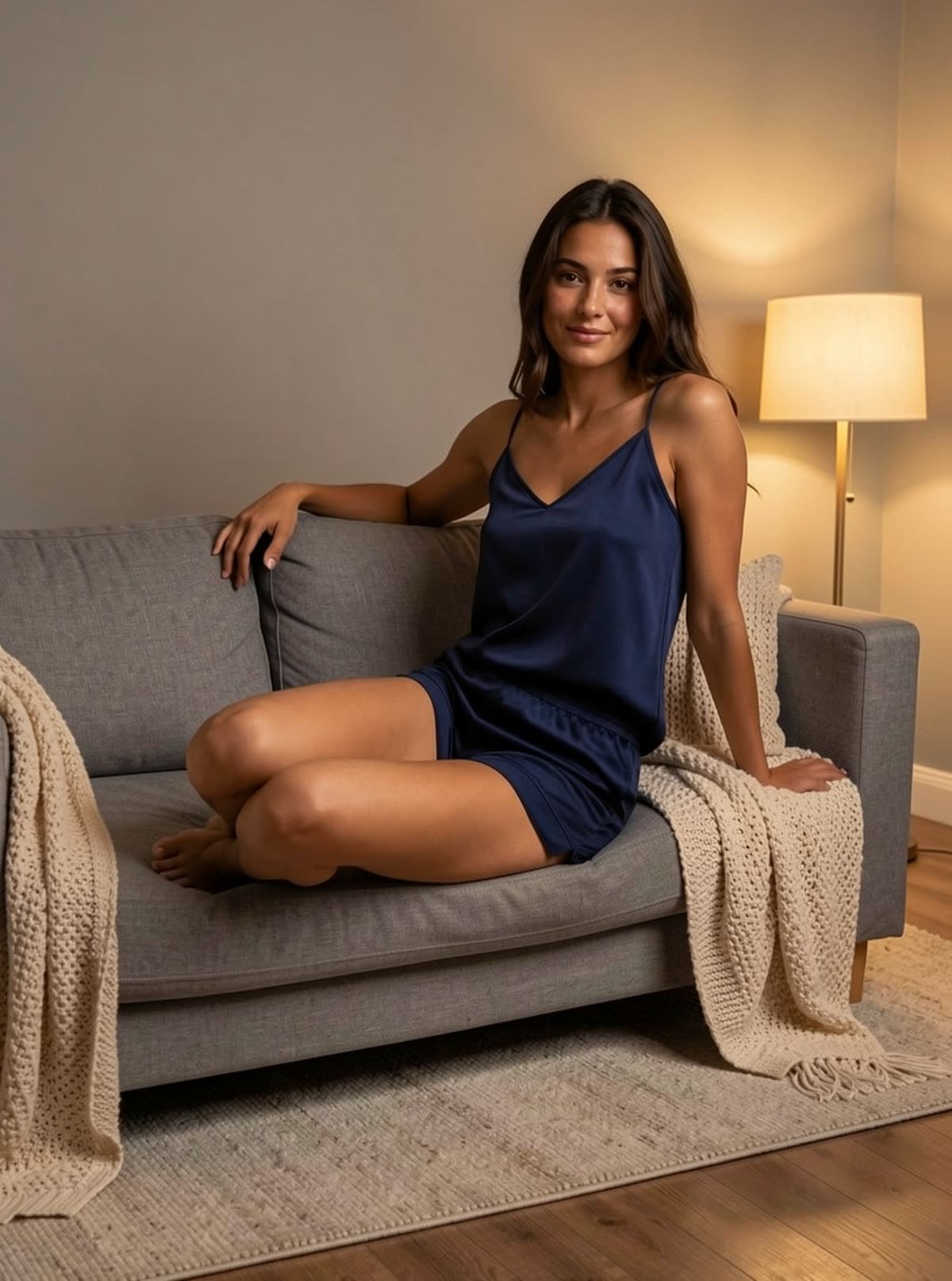
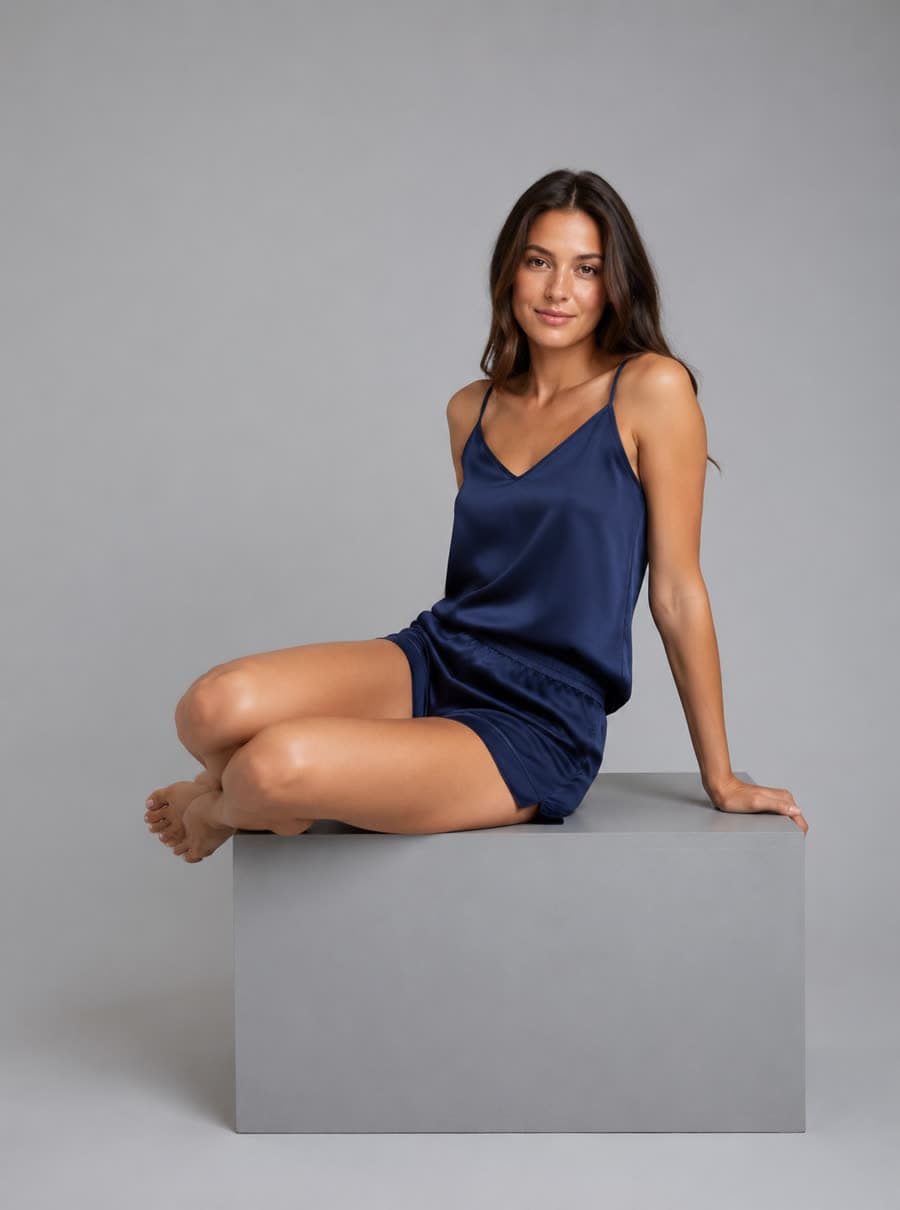
Seat cushion compresses under her legs
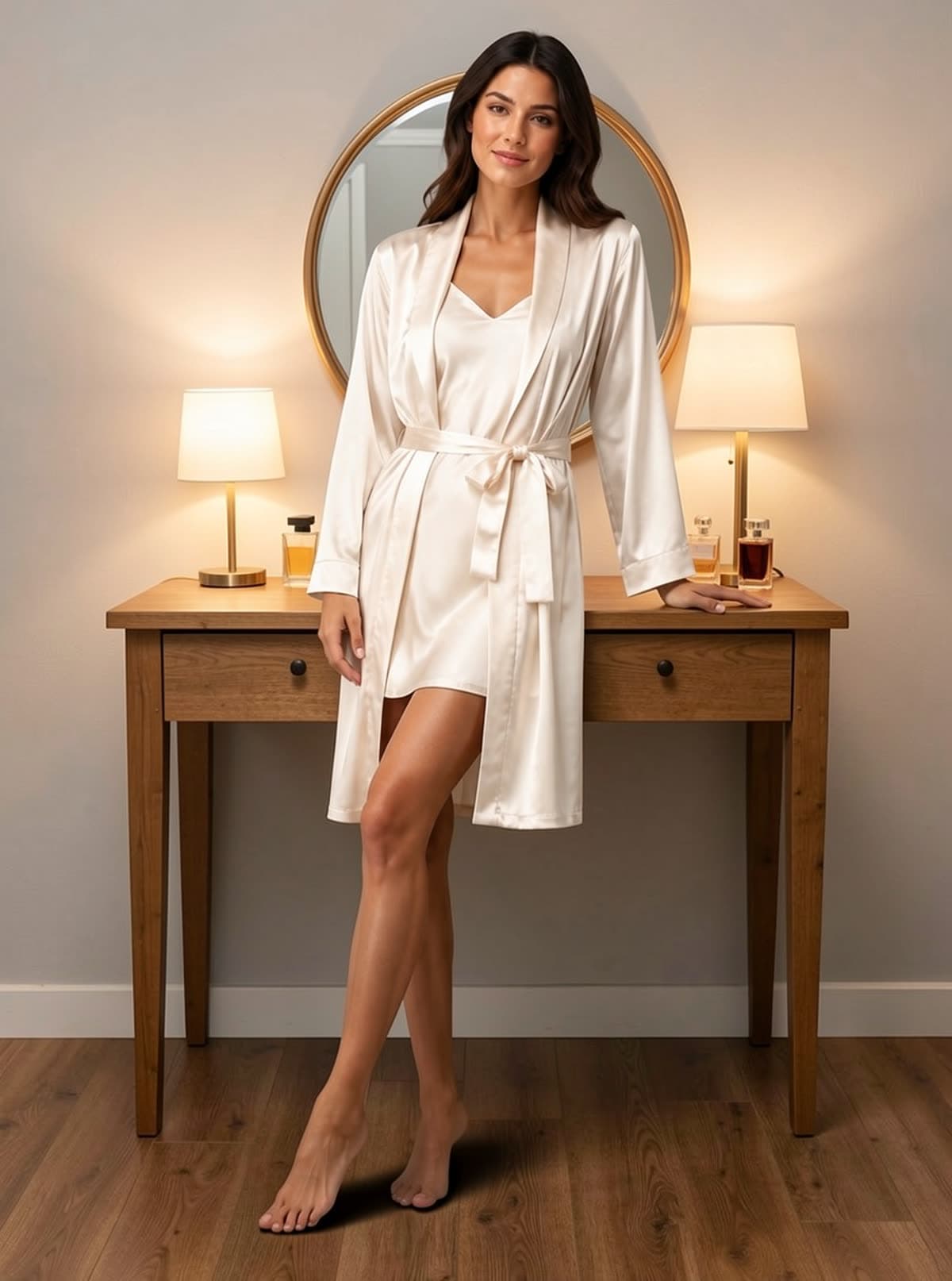
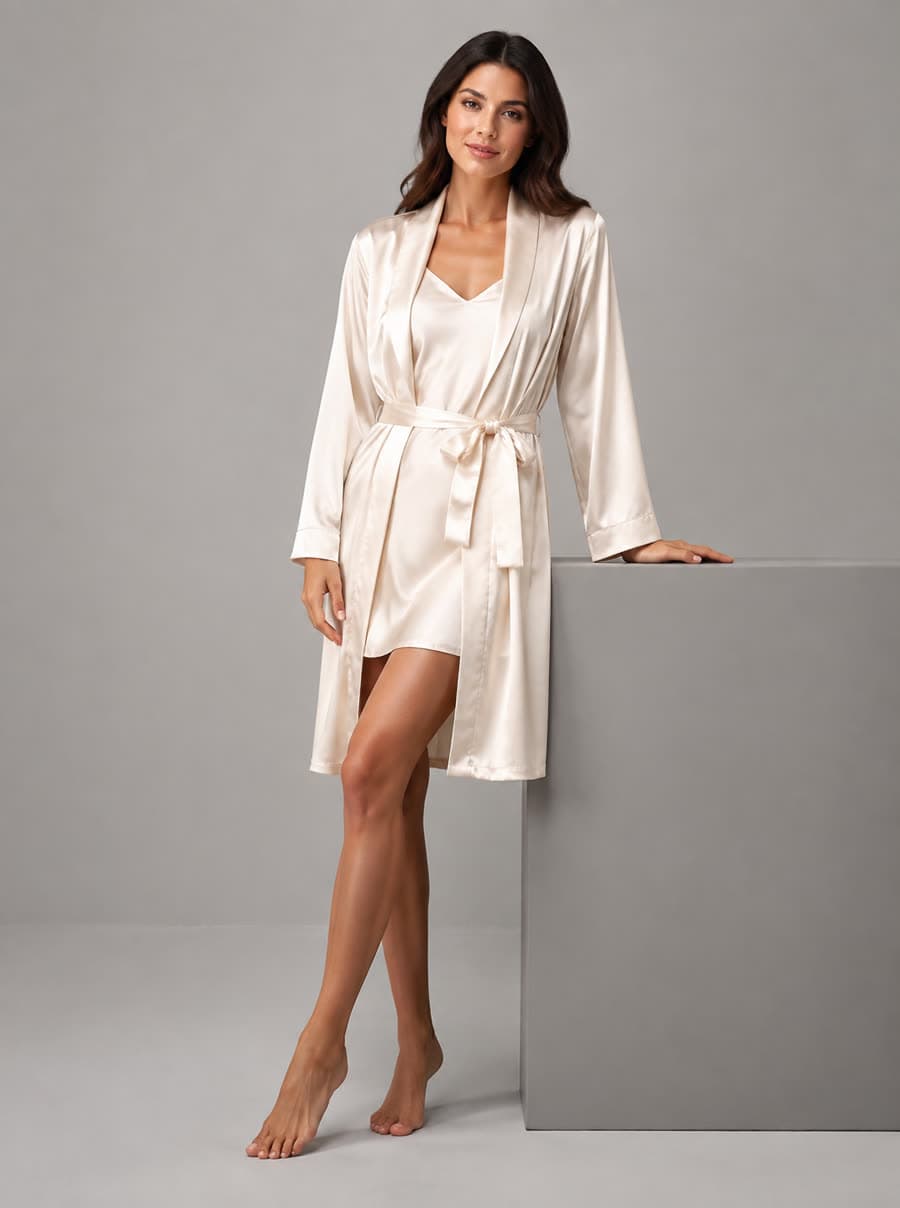
Grey prop becomes a wooden dressing table
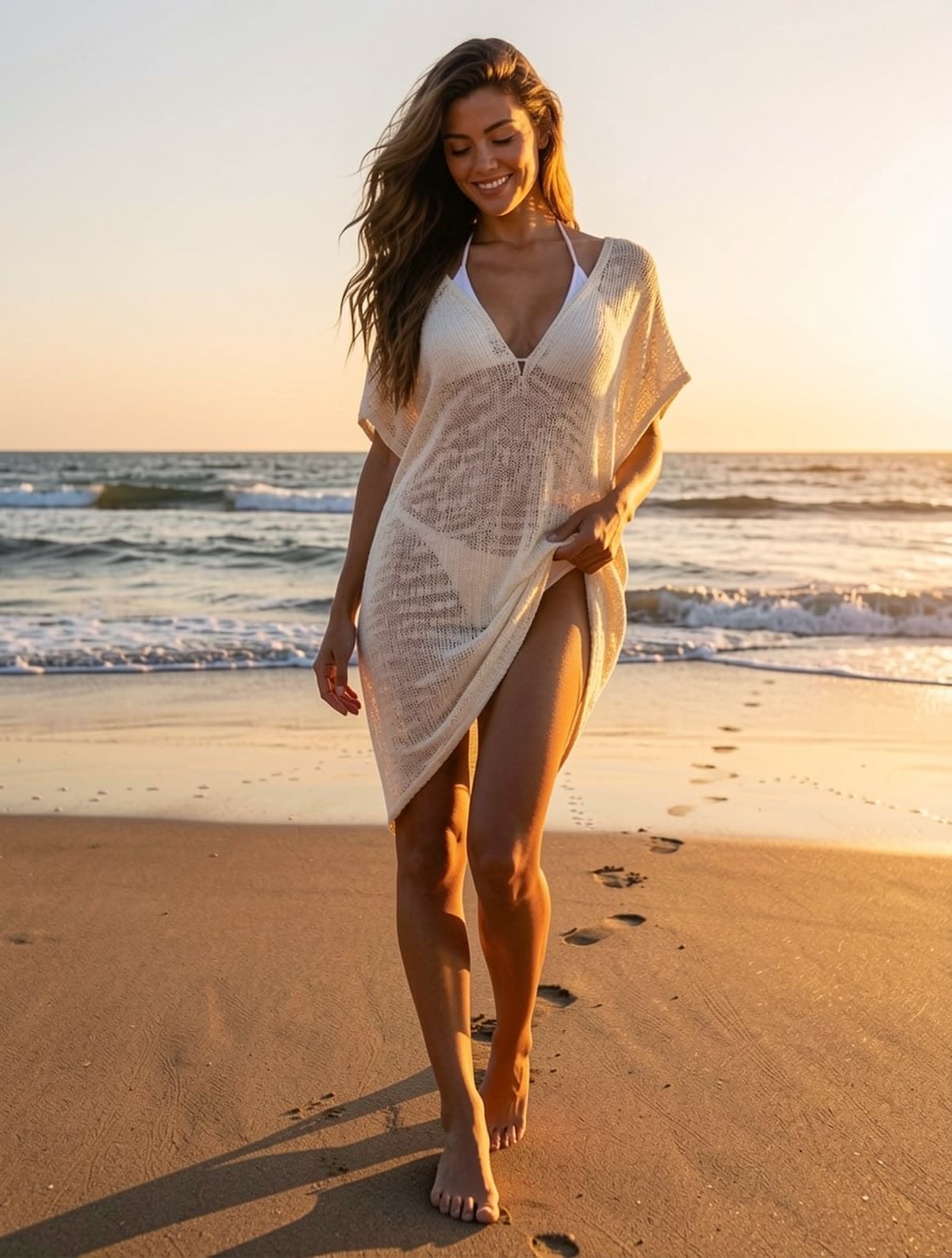
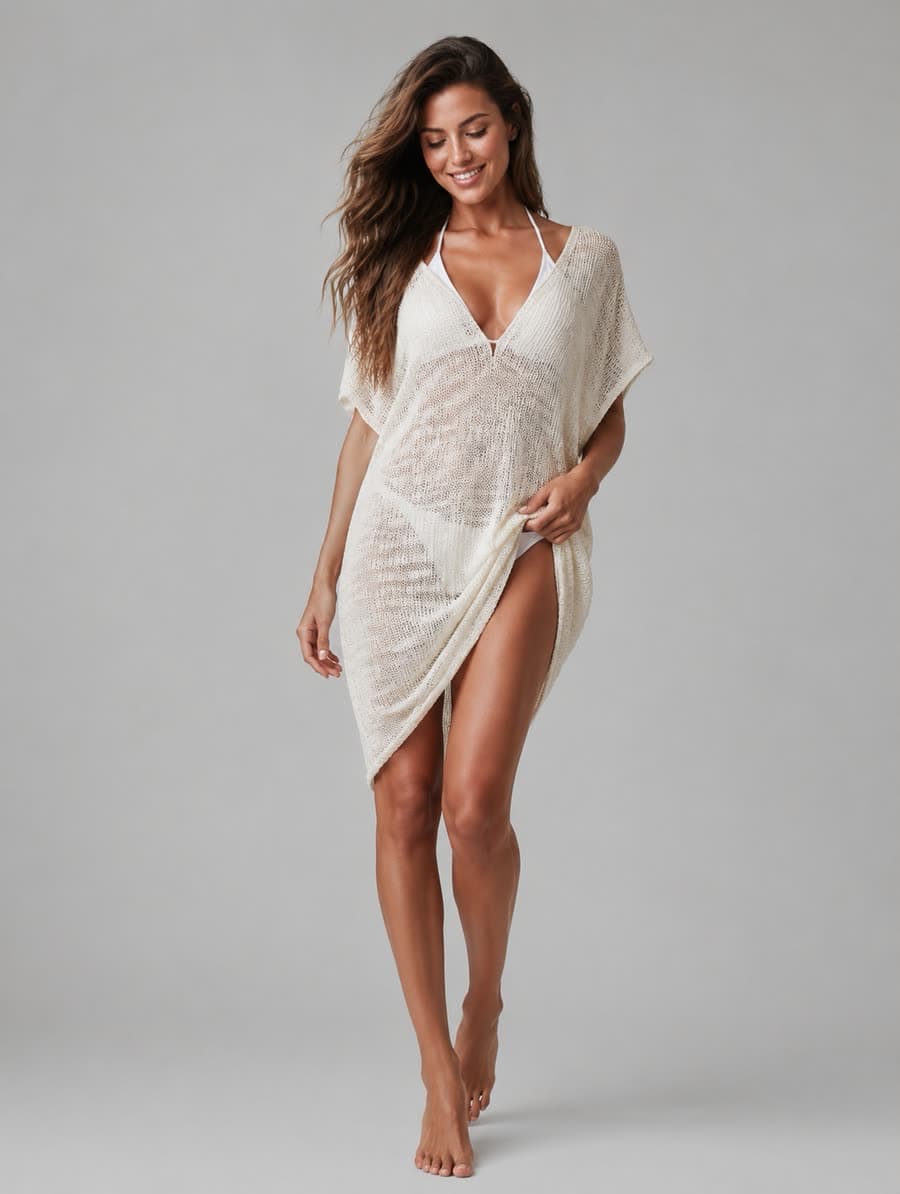
Footprints and a long low-sun shadow
Three steps. No location fee, no stylist, no rebook.
Existing white-background shot, on-model photo, or flat-lay. We isolate the product and keep its color and texture intact.
"Silk sheets, soft morning light" or "sunlit Italian villa" — the AI takes natural language. Or pick a preset.
Realistic lighting, contact shadows and surface reflections. Multiple aspect ratios for hero and social.
If the scene is golden-hour, your product picks up warm tones. Background replacement relights the subject — it does not simply composite a cutout onto a picture.
Products sit on surfaces, not float above them. Shadows match the implied light source for every scene.
From minimalist studio to maxi-detail interior. Type any scene; refine until it matches your brand.
Background replacement drops a product you have already photographed into a different setting. The product itself is not re-rendered — its shape, colour, fabric and lighting come straight from your file — while everything behind and around it is rebuilt. The hard part is not the scene; it is making the placement physically believable, so the tool matches camera height, puts the subject on the new floor plane and adds real contact shadows instead of pasting a cutout onto a backdrop.
Bedroom, marble bathroom, poolside, walk-in closet, minimal studio — the same source photo produces a whole gallery of contexts.
Solid backdrops are matched to complement the garment's colour, so the product edge stays readable rather than sinking into the background.
Cut, colour, print and fabric texture are carried over untouched. Only the environment changes.
A lifestyle shoot means a location fee, props and a stylist before anyone presses the shutter. Background replacement is 10 credits per scene.
Poolside and beach shots can exist in February. You are not waiting on weather to list a swimwear SKU.
Run the same product through three settings and let click-through decide, instead of committing a whole shoot to one guess.
A clean studio shot converts poorly on a lifestyle-heavy channel. Run background replacement on it instead of re-shooting it.
Main image stays white; the gallery slots get scenes that show the product in use.
The same SKU can read as minimal for a marketplace and as editorial for social, from one source photo.
Categories where the setting carries much of the mood, and where a studio-only gallery under-performs.
Seasonal products that need warm-weather context long before the weather arrives.
A single well-lit shot becomes the basis for an entire gallery of background replacements.
Background replacement needs a photo of someone already wearing the garment. If you do not have one, that is the tool that makes it.
Scene shots belong in the secondary slots. On most marketplaces the main image still has to be a pure white cutout.
Lifestyle shots get cropped and zoomed harder than any other slot, so resolution shows. Replace the background first, upscale last.
Yes. The model accepts free-text scene prompts and you can iterate cheaply — most users land on a hero scene within 3-5 generations.
Yes. Both work. For on-model images, the model and clothing stay intact; only the surrounding scene changes.
Yes. Outputs are PNG/JPG with no embedded text, watermarks or generated logos. Marketplace-safe framing keeps lingerie, sleepwear and swimwear within Amazon, Etsy and Shopify policies.
Brand scene libraries are on the roadmap — for now you can paste your stock prompt into the box, results are deterministic enough that the same prompt produces consistent looks.
Background removal deletes the setting and leaves a cutout on white or transparency. Background replacement rebuilds a setting instead: a new floor plane, a light direction, and contact shadows that agree with each other. They are different jobs and they belong in different listing slots — if all you need is a compliant white main image, the white background generator is cheaper and more predictable than a background replacer.
Only if the new scene can support it. Background replacement preserves the pose exactly and rebuilds whatever carried the subject's weight — a studio block becomes the edge of a bed, a wedge becomes a sun lounger, a counter becomes a vanity. A pose that rested on something specific transfers well. One caught mid-motion against a wall often does not, because there is nothing in the new room for it to lean on.
10 credits per image, typically under fifteen seconds. Because each background replacement is cheap, the practical workflow is to run one product through three or four settings and keep whichever converts, rather than committing an entire shoot to a single guess about which scene works.